Everything you save in Digext becomes something you can ask questions of.
Digext chat isn't a general-purpose chatbot. It's built for one job: searching, querying, and organizing your digexts. What it reads is what you chose to save: the explanations that finally clicked, the threads you kept, the recipes, the research, the diary of your own curiosity. It answers from those saves, never from the web. A conversation with your own library.
A librarian, not an oracle
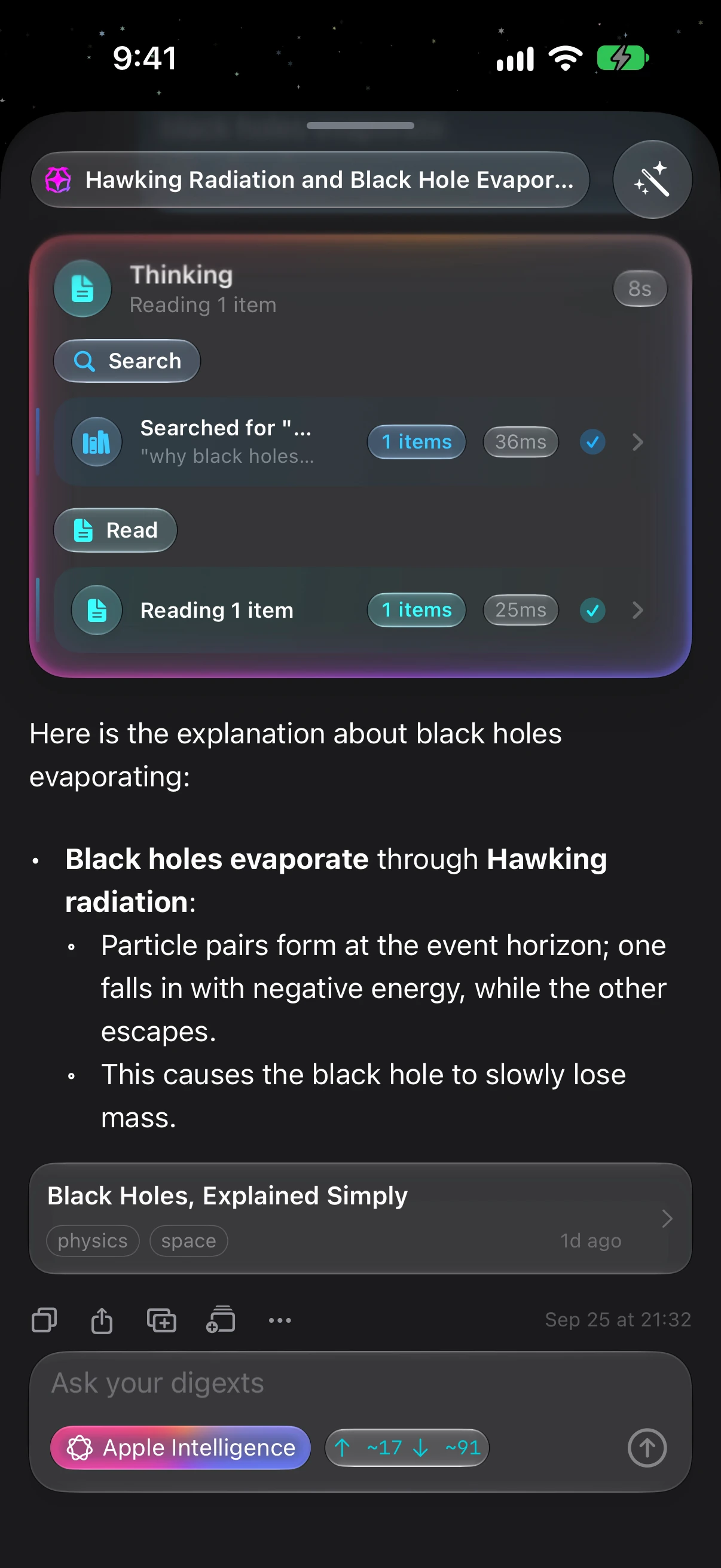
Finding. Search is great when you remember a word that's in the thing. Chat is for when you remember the idea: "the answer about why my sourdough wasn't rising," "those three articles about batteries." Describe it like you'd describe it to a person; it comes back. And it reads everything you saved to answer you, your PDFs page by page, even the text inside your screenshots, and hands back tappable cards that open the digexts it found.
Organizing. Collections in Digext are optional by design; filing is something the app offers, not demands. But when you want structure, you can delegate the whole toolkit: tell chat "gather everything about the Japan trip into a collection" and it searches your saves and does the filing. Or ask it to retag, retitle, mark favorites, merge overlapping collections, clean out what's stale. Anything that would change your library is shown to you first: approve it with a tap, reject it, or tell the AI what to do differently. Change your mind afterward? Undo is one tap away.
Keeping. A good answer is worth keeping. Any reply, or the whole conversation, can be saved back into your library as a digext of its own, complete with a generated title and tags, or appended to one you already have. Ask, learn, save: the answer you got today is findable next month.
What do you ask it?
- "Find the explanation I saved about why black holes evaporate." Finding, by idea rather than keyword.
- "What did I save last month? What's my longest streak?" Your library knows its own stats and timeline.
- "Gather everything about the Japan trip into one collection." Filing, delegated and approved by you.
Choose who answers
Everyone's setup is different, so Digext doesn't decide for you: various kinds of intelligence, clearly labeled. Pick the one you like working with, and switch any time.
Apple Intelligence, the default. Built into your iPhone and runs entirely on it: no account, no subscription, no setup, no internet. Chat works the moment you open the app, even in airplane mode, so your library answers on a flight, on the subway, on a trail. It's quick, it's free, and it's brilliant at the everyday jobs: finding, summarizing, organizing.
Your own Claude or ChatGPT account, when you want more horsepower. A model that fits on a phone isn't built for twenty-step reasoning marathons. If you already pay for Claude or ChatGPT, sign in and the same chat box gets that bigger brain: deeper reasoning, broader knowledge, longer answers, applied to the same library. These requests count against your plan's own usage limits, and Digext shows you live token counts right in the chat, so you always know what a conversation costs.
Two brains, one chat box
| Apple Intelligence | Your Claude / ChatGPT account | |
|---|---|---|
| Setup | None, built in | Sign in once |
| Cost | Free | Your existing paid plan |
| Works offline | Yes | No |
| Sweet spot | Finding, summarizing, organizing | Deep reasoning, broad knowledge |
Same conversation, same library, your choice of brain per question. Switch any time from the chat input bar.
Your saves, your chat, your choice of brain. That's the feature.